Rolling out our new training reservation system.
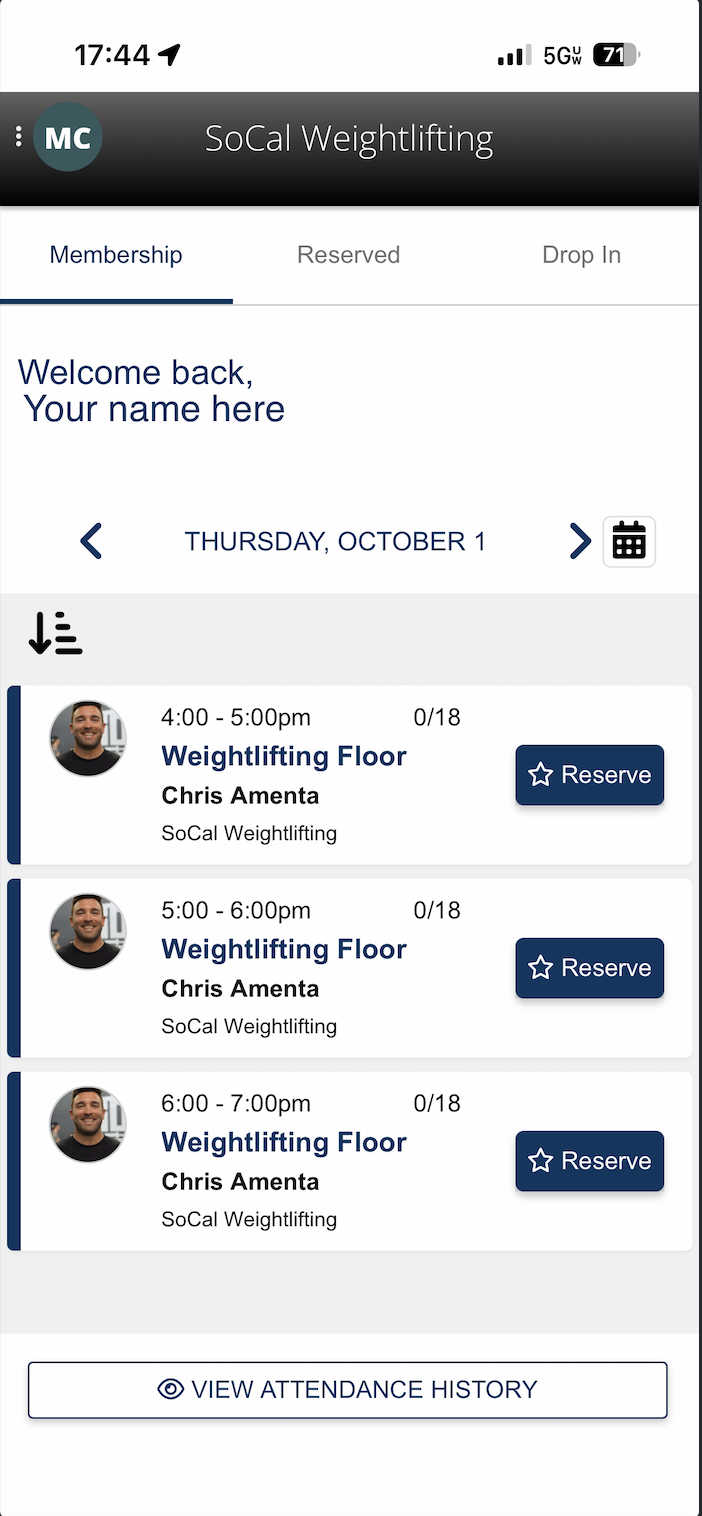
Starting October 1, we’ll be using the ZenPlanner Member App to reserve training times at SoCal Weightlifting.
We’re using October as our first month to test the reservation system, see how everyone moves through the training floor, and make adjustments if needed. Here’s everything you need to know.
Download the ZenPlanner Member App
First, download the ZenPlanner Member App from your phone’s app store.
Log in using the email address we have on file for you. This should be the same email address where you receive communication from us.
For athletes coming over from Rep Max: Your SoCal Weightlifting ZenPlanner login information was emailed to you on Monday.
Once you’re logged in, you’ll be able to see the available training sessions and reserve your spots throughout the week.
If you receive an error saying you don’t have an account or cannot log in, text Sarah at 949-228-9125. Occasionally, a member’s login-access setting needs to be turned on. It’s a very simple fix.
How Your Weekly Reservations Work
Your membership has been set up with the correct number of training sessions you can reserve each week.
For example, if you have a 4x/week membership, you will have four reservations available each week.
Starting Thursday, October 1, you can open the app, view the upcoming training schedule, and tap the session you’d like to attend to reserve your spot.
You can reserve upcoming sessions in advance or reserve right up until a session begins, as long as space is still available.
Session Capacity
For October, we are starting with 18 reservable spots per training time slot.
We’ll be paying close attention to how training flows throughout the month. If we find that we can comfortably accommodate more athletes at certain times, or that we need to make other adjustments, we’ll make those changes.
October is our trial month for figuring out what works best for everyone.
If a Session Is Full
If all 18 spots are taken, you can join the waitlist through the ZenPlanner app.
If a spot becomes available and you are pulled from the waitlist, you will receive a text notification. You will then have 15 minutes to open the app and reserve that available spot.
This is one of the reasons it’s important to withdraw from a session if your plans change. Please be respectful of other’s who want to train as well.
Withdrawing From a Reservation
Plans change. If you’ve reserved a training time and can no longer attend, simply open the app and tap to withdraw from the session.
Please withdraw at least 30 minutes before your scheduled training time.
That gives another athlete enough time to see the opening and take your spot, particularly when a session has a waitlist.
Eventually, we will have a no-show fee for athletes who reserve a spot and don’t attend, since that can prevent another athlete from training during that time. We do not anticipate implementing no-show fees during October. We’ll evaluate how the reservation system is working and revisit this in November.
What Your Reserved Hour Is For
When you reserve a training time, please be ready to begin your competition lifts at your scheduled time.
Our goal is for athletes to complete their snatch and clean & jerk work on the weightlifting floor during their reserved hour. Afterward, you can move to the rest of the facility to complete pulls, squats, accessories, and the remainder of your program. You do not need a reservation if you are training in the other areas of the floor.
We believe most programs should allow athletes to complete their competition-lift work within an hour, but again, October is our opportunity to test this.
If we find that an hour isn’t enough time or that the flow of the facility would work better with different training windows, we’ll adjust.
You do not need to reserve if you are training outside the training times on the app.
Training times that require reservation:
MTWF 4-7pm, Thurs 4:30-6:40pm, Saturday 9-12pm. All those time slots are available on the app. Special hours like holidays and such will also reflect on the app a few weeks out.
The Quick Version
1. Download the ZenPlanner Member App.
2. Log in using the email address we have on file.
3. Find the training time you want.
4. Tap to reserve your spot.
5. Arrive ready to train at your reserved time.
6. If your plans change, withdraw at least 30 minutes beforehand.
7. If a session is full, join the waitlist.
That’s it!
The system should be very simple once you’ve logged into the app and made your first reservation. We appreciate everyone working with us during October as we learn how training flows in the new facility and make adjustments that create the best possible training environment for the entire team.
We’re excited to get everyone into the new gym and training together!